Word Counter
Instantly count words, characters, sentences, and paragraphs in your text. A free, accurate online tool for writers, students, and SEO.
Actions
File
Professional Word Counter: More Than Just a Character Count
In the digital age, content length and structure are critical for everything from SEO rankings to academic submissions. Our Free Online Word Counter is a comprehensive writing laboratory that provides real-time analysis of your text, helping you stay within strict limits while optimizing your prose.
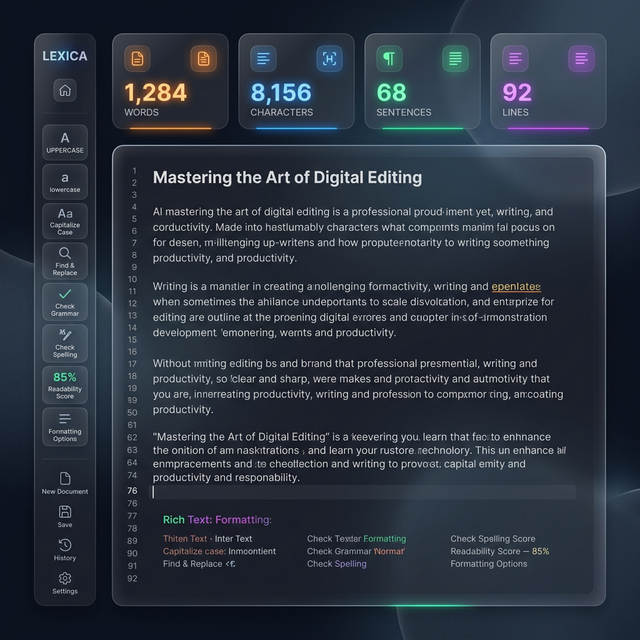
Whether you're crafting an 800-word blog post, a 280-character tweet, or a detailed technical report, our tool tracks words, characters, sentences, and lines simultaneously. It's built for speed and privacy, processing every keystroke locally in your browser so your creative work never leaves your device.
Advanced Editing Actions
Case Transformation
Instantly switch between UPPERCASE, lowercase, or Title Case to fix formatting errors in seconds.
Whitespace Cleaning
Our 'Clean' feature removes double spaces and trailing line breaks, ensuring your text is perfectly formatted.
One-Click Export
Seamlessly copy your analyzed text to your clipboard or download it as a dedicated .txt file for backup.
Real-time Feedback
See your statistics update live with every single character you type—no refreshing required.
Optimize Your Writing Pipeline
A high-quality draft is just the beginning. Use our suite of free tools to further refine and optimize your technical content:
- Check for SEO balance with the Keyword Density Checker.
- Generate initial drafts using our AI Content Generator.
- Transform your text into different casing styles with the Case Converter.
- Visualize data conversions using the Data Format Lab.
For authoritative tips on effective writing and content structure, we recommend exploring the Harvard Business Review on Writing or the official AP Stylebook for journalistic standards.
How to Use the Word Counter
1. Input Text
Type directly into the editor or paste your content from any external source.
2. Review Stats
Watch the dashboard update instantly with word counts and character metrics.
3. Format & Export
Use the action sidebar to clean your text, then copy or download the final result.
Frequently Asked Questions
Everything you need to know about our Word Counter.
Word Counter is our ultimate solution. Instantly count words, characters, sentences, and paragraphs in your text. A free, accurate online tool for writers, students, and SEO.
Count words, characters, and sentences in your text.
Why Use Our Word Counter?
Are you looking for a safe way to fix your files? First, our website protects your privacy. Second, we offer free and fast utilities. Because everything runs in your browser using modern web standards like HTML5, your data is never uploaded. Therefore, your personal info stays perfectly safe on your own device.
Furthermore, our platform is incredibly fast. Since all processing is local, you will see instant results. In addition, our free online utility works on phones, tablets, and desktop computers. Thus, you can use it anywhere without limits.
Finally, we update our code to give you the best speed. There are no hidden fees. Moreover, we never force you to sign up. Just drop your file, click start, and get your results fast. In conclusion, please browse the All Tools menu for more help. It really is that easy!
Explore All Tools
AI Tools
- Area Converter
- Base64 Decode
- Calorie Calculator
- Case Text
- Count Characters Text
- Currency Converter
- Data Converter
- Decimal To Fraction
- Ideal Weight Calculator
- Image Resizer
- Image To Pdf
- Image To Text
- Keyword Density Checker
- Loan Calculator – Calculate Monthly Loan Payments Online
- Lorem Ipsum Text
- Pdf To Image
- Percent Change Calculator
- Random Number Generator
- Roman Numerals
- Text To Speech
- Time Calculator
- Tip Calculator